
Prior authorization
Stop rebuilding every authorization from scratch.
Fanoni keeps the request, patient-specific evidence, payer criteria, reviewer rationale, and status connected in one working case.

The request is only one part of the work
Find the evidence
Bring relevant chart documents, notes, and request details into the case instead of rebuilding context at each handoff.
Check the criteria
Review payer-policy criteria beside patient-specific evidence, with the available source material visible to the reviewer.
Record the decision
Keep reviewer rationale, sign-off, status, and follow-up attached to the same authorization record.
Built for authorization teams
One case. A visible trail.
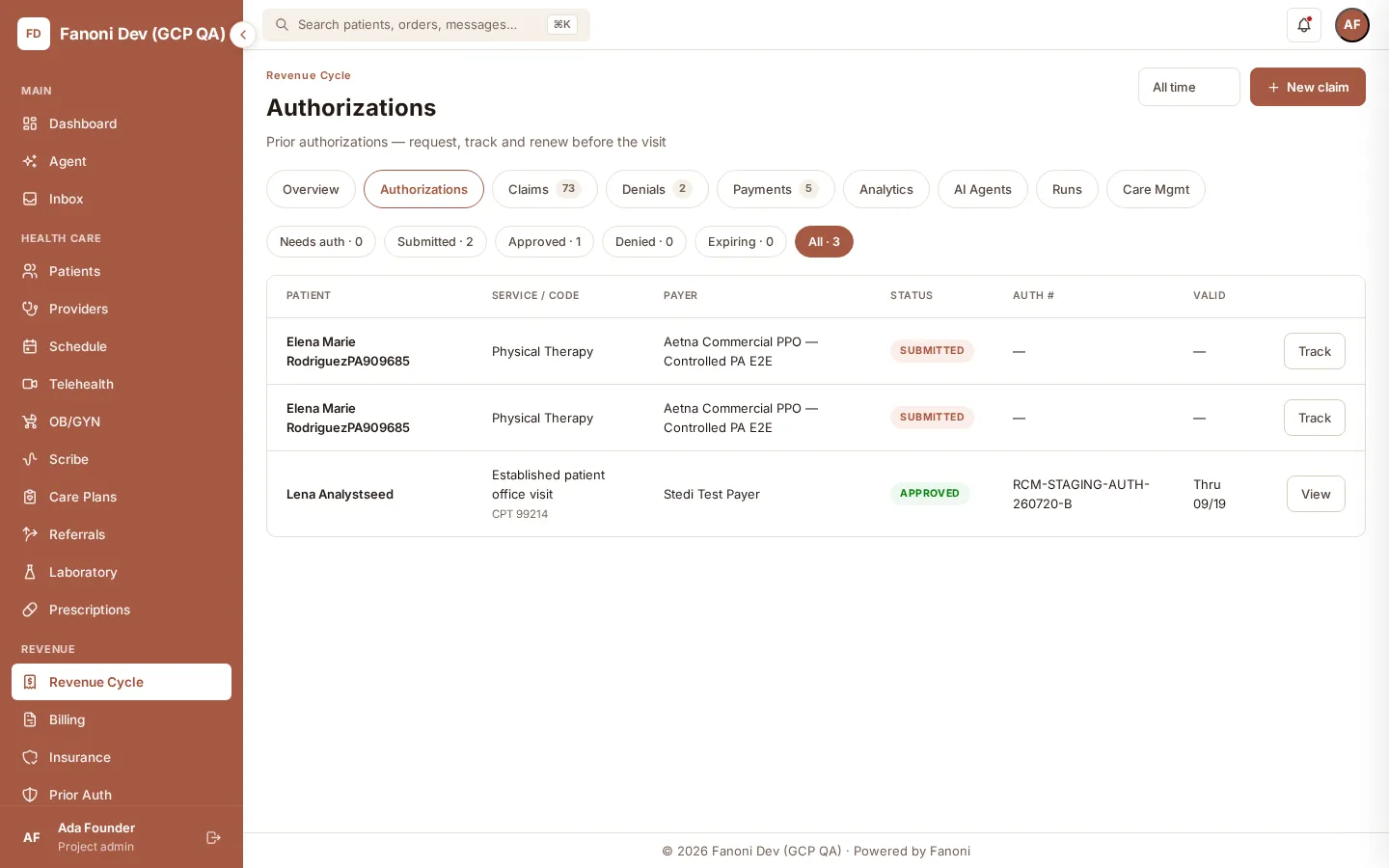
The Authorizations worklist gives clinical and revenue-cycle teams a shared view of the payer, request status, authorization number, validity window, and next action.
Request
Capture the service, payer, and required information that opens the case.
Evidence
Organize patient-specific documents and notes that support medical necessity.
Review
Document human judgment, rationale, sign-off, and follow-up actions.
Status
See the recorded payer response and what the team needs to do next.
How it works
A clear path from intake to the next action.
- 1
Collect the request
Open the case with patient, service, payer, and required request details.
- 2
Review matched evidence
Inspect relevant clinical evidence and the payer-policy criteria used for the assessment.
- 3
Record human rationale
A qualified reviewer confirms the decision, adds rationale, and signs.
- 4
Track the response
Monitor status, capture the determination, and move into follow-up or appeal when needed.
What is in the product
Built around evidence and human sign-off.
Fanoni supports the work before and after submission while keeping clinical judgment with the right reviewer.
Intake and case creation
Create and organize authorization cases from the clinical and administrative context available to the practice.
Evidence and criteria review
Review patient-specific evidence, source material, matched criteria, and gaps in the case.
Assessment and signing
Inspect the recommendation, override when appropriate with documented rationale, and complete human sign-off.
Status and appeals
Track the case after submission and keep appeal work connected to the original authorization.
Questions, answered plainly
What teams ask before a workflow review.
What information does Fanoni keep in a prior-authorization case?
A case can connect the requested service, payer, patient-specific clinical evidence, applicable criteria, review notes, human rationale, sign-off, status, and appeal activity.
Does Fanoni make the authorization decision automatically?
No. Fanoni can organize evidence and support an assessment, but the product keeps the required review, judgment, override rationale, and sign-off with a qualified human reviewer.
Can Fanoni submit to every payer?
Fanoni does not make a universal-payer claim. The available submission and status route depends on the payer, the practice workflow, and the configured connection, and is confirmed during implementation.
How are appeals handled?
Fanoni includes an appeal workflow that keeps appeal work connected to the original case. The exact operational and payer route is verified for each implementation.
Bring us your current authorization workflow.
We will map the request, evidence, review, submission route, and follow-up before recommending a go-live scope.